Follow
 Every day, threat intelligence teams read reports describing new attacker campaigns, and every day detection engineers face the same question: how do we turn this into detection content before the threat reaches our environment? Reading a long report, spotting the behaviors that matter, and writing a correct rule by hand takes time that most SOC teams don’t have.
Prime Architect gives security teams a faster way to handle this. Prime Architect is SOC Prime’s AI-powered workspace for threat research and detection engineering. Its agentic tools analyze threat intelligence and produce actionable defense content, so security teams can move from raw reports to detections faster.
A good place to start is generating behavior rules. Paste a threat report, and Prime Architect generates one or several behavior rules in Sigma format, ready to review, refine and deploy.
Why Use AI to Generate a Behavior Rule?
Behavior-based detections look for what attackers do rather than for indicators that change from one campaign to the next. They are more resilient and valuable, but also harder and slower to write. Using AI to generate a behavior rule removes the most time-consuming part of that work.
- Faster time to detection. Go from a fresh threat report to a draft rule in a single workflow instead of hours of manual analysis.
- Less manual effort. AI reads the report and extracts the behaviors worth detecting, so your engineers can focus on tuning and validation.
- Coverage from a single source. Depending on the context you provide, AI can generate one behavior rule or multiple behavior rules from the same report.
- Open, portable output. Rules are created as behavior rules in a Sigma format, so you can translate them into the language of your SIEM, EDR, or data lake.
- One continuous workflow. Generation is only the start. You can validate, summarize, translate, deploy, and refine the rule without leaving the platform.
How to Generate a Behavior Rule
Behavior Rule with AI is one of the agentic AI tools available in the Agentic Threat Research mode of Prime Architect. Here is how to use it:
- Open Prime Architect and go to the Agentic Threat Research mode.
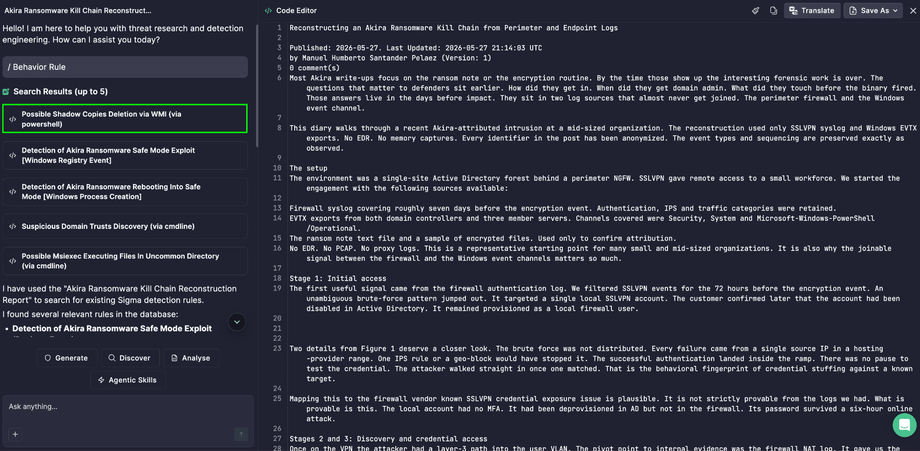
- Click Code Editor in the upper right corner and paste the text of a threat report.
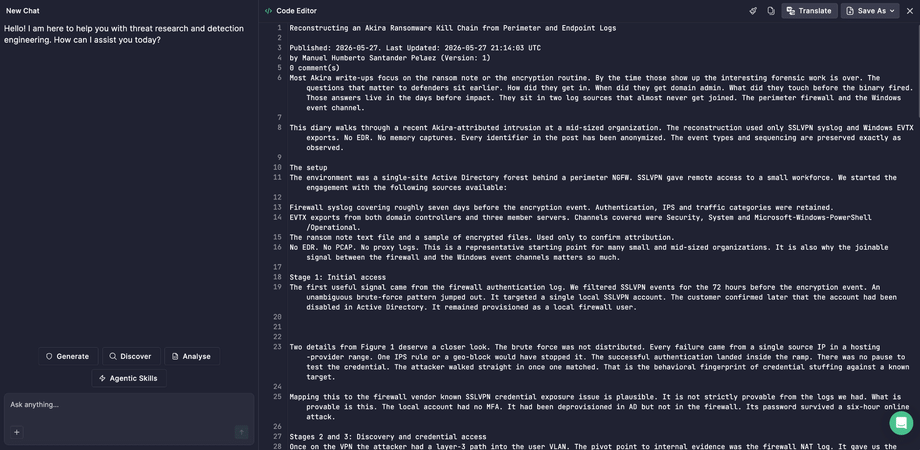
- Select the Generate button.
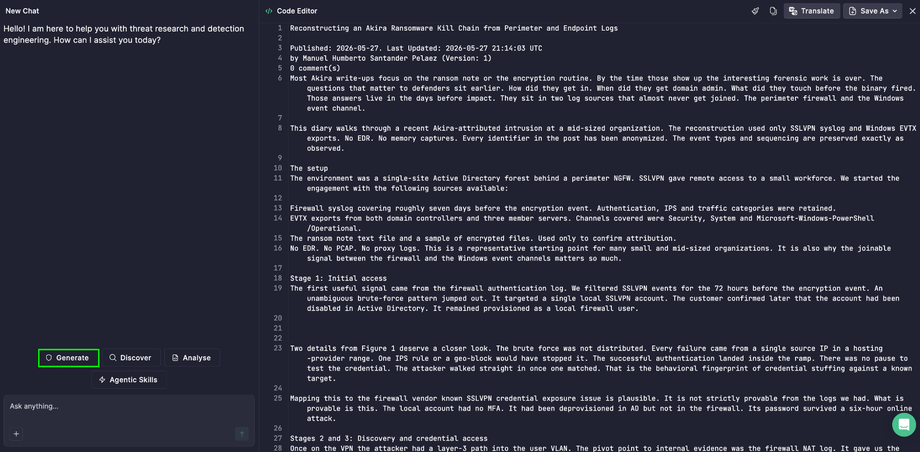
- Select the Behavior Rule tool from the agentic AI tools options.
- Click the Enter icon to proceed.
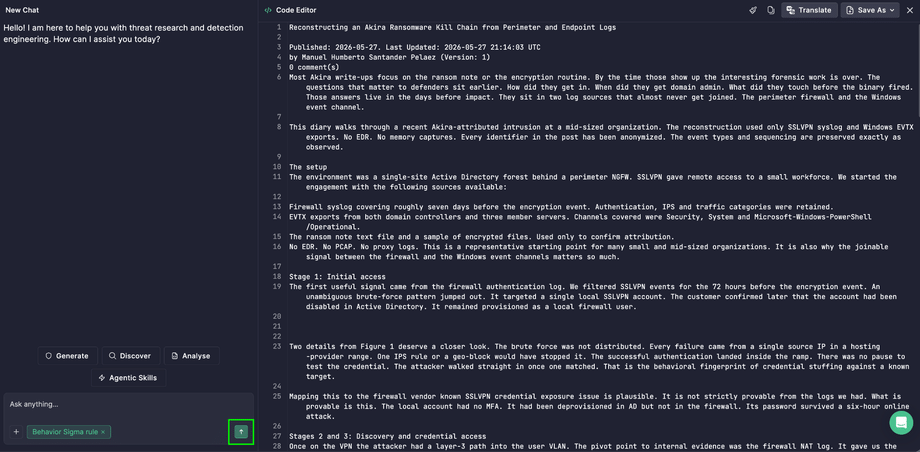
- Click the rule tile to view the rule in the output panel.
Tip: The more context you give, the better the result. A detailed threat report that describes attacker techniques, tools, and command-line activity gives AI more behaviors to turn into rules.
What to Do After the Rule Is Generated
Generating the rule is the first step. Once your behavior rule or rules are ready, the next steps below help you get them into production and make sure your team understands them.
Save and translate
Once the rule is generated, you can take it into your workflow in a few clicks:
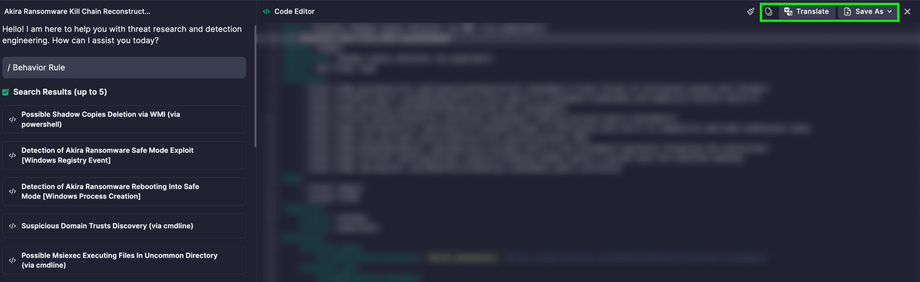
- Copy to clipboard: paste the rule straight into your system and start working with it right away.
- Save As > File.txt: download the rule as a file to share it, archive it, or use it outside the platform.
- Save As > New Rule: store the rule in a custom repository, so your team has one place for all the detection content it creates.
- Translate: convert the Sigma rule into the query language of your security stack, so the same detection works across different tools and isn’t tied to one platform.
Understand the rule: summaries and decision tree
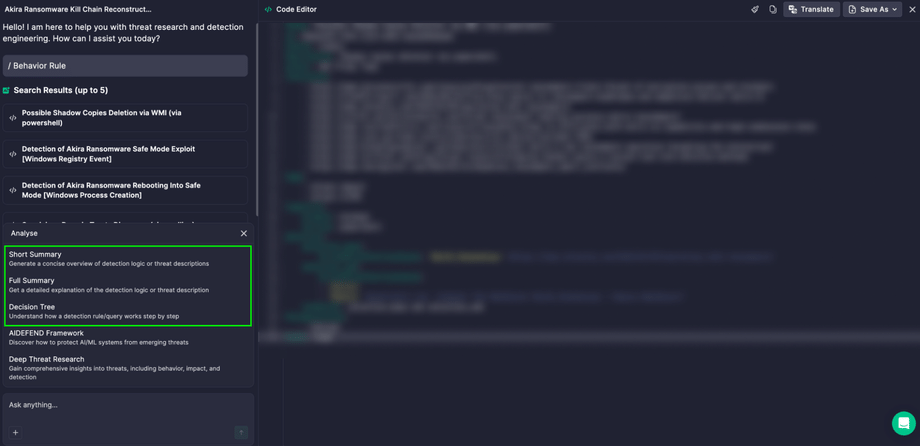
Without leaving the generated rule, you can use three AI tools to help your team review, document, and triage faster:
- Short Summary: a concise, plain-language overview of what the rule detects. Use it for ticket descriptions, handover notes, and quick peer reviews, so nobody has to read the full logic just to understand the purpose of a rule.
- Full Summary: a detailed explanation of how the rule works, including what behavior it looks for and why. It helps new analysts get up to speed, gives you ready material for detection documentation, and supports audits and coverage reviews where you need to explain what each rule does.
- Decision Tree: a visual map of the rule’s logic that shows how the detection conditions connect and how an analyst can work through an alert step by step. It helps SOC teams triage faster, reduces guesswork on unfamiliar alerts, and makes it easier to see where a rule might need tuning.
To use any of them, select Analyze, choose the tool, and click the Enter icon.
Validate before you deploy
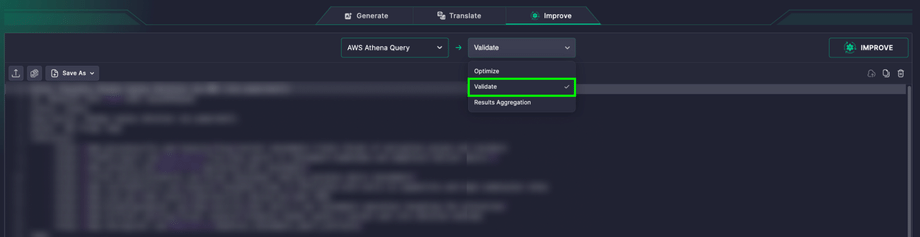
Catch errors before they reach production. Go to Translation mode in Prime Architect, open the Improve tab, paste your rule, confirm the detected language, select Validate in the dropdown, and click Improve.
Make custom modifications with AI
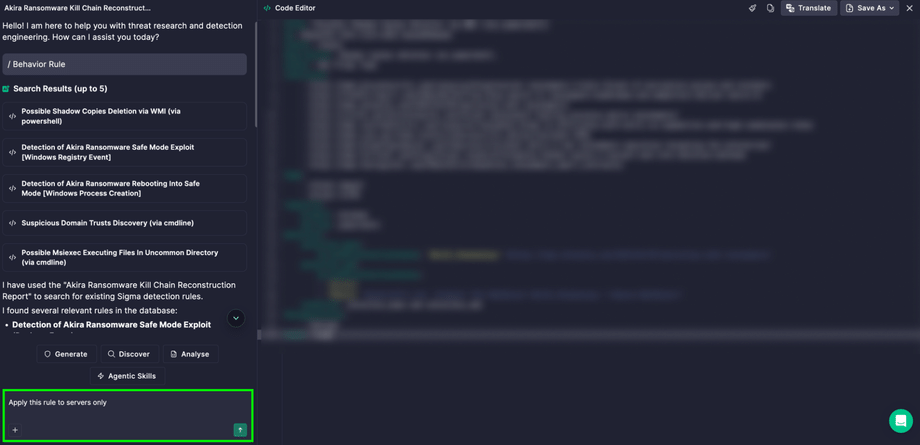
Every environment is different. Use the chat interface to adjust the rule to your needs, such as adding exclusions, narrowing the scope, or changing the logic, simply by describing what you want.
Put the rule into action
A detection only protects you once it is running. After you generate and review the rule, deploy it to your SIEM and let it start watching for the threat in your environment.
Start Turning Intelligence into Detections
With Behavior Rule with AI in Prime Architect, a threat report is no longer something your team reads and files away. It becomes working detection content in minutes. Open Prime Architect, paste your next threat report, and let agentic AI tools do the heavy lifting, while your team keeps control of every rule that goes into production.