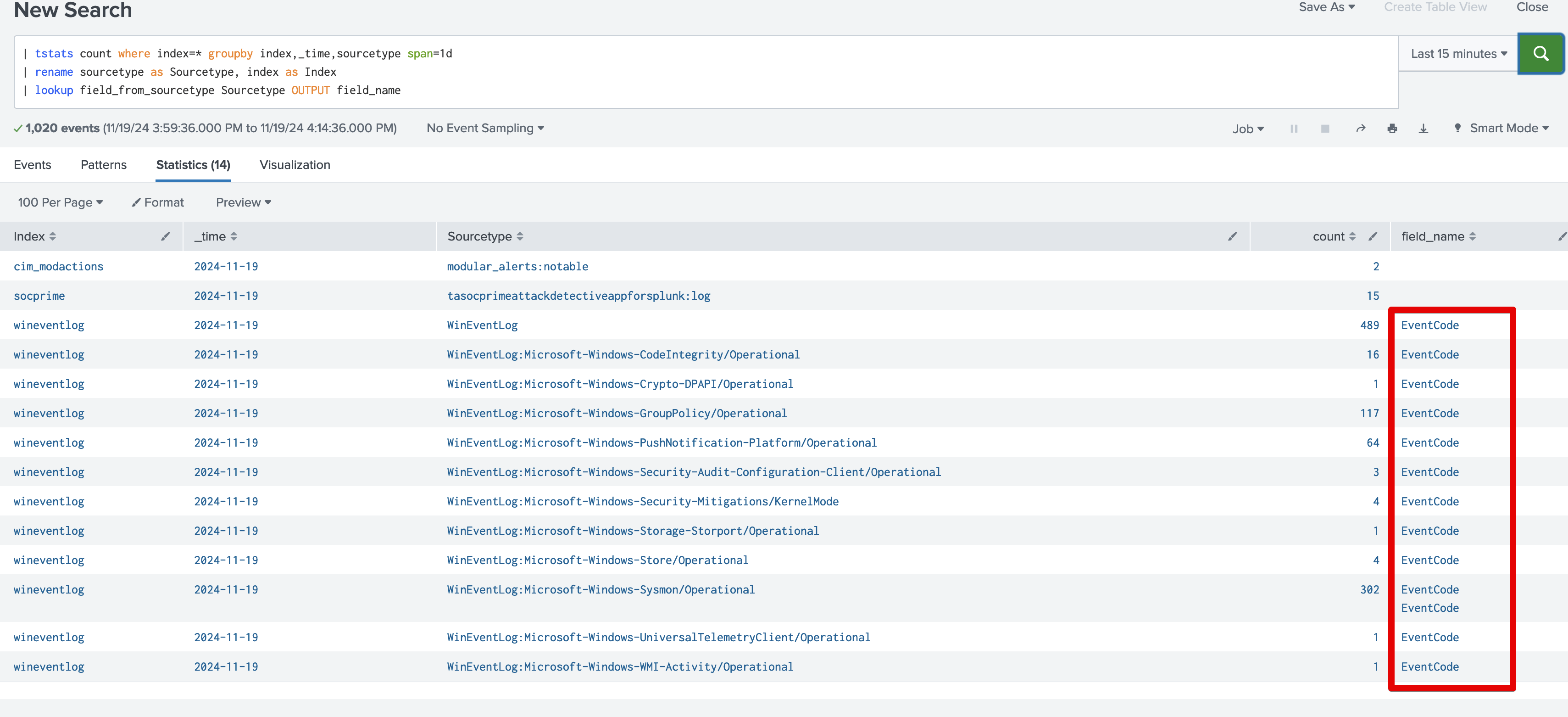
1) Add to transforms.conf stanza:
[field_from_sourcetype]
batch_index_query = 0
case_sensitive_match = 0
filename = field_from_sourcetype.csv
match_type = WILDCARD(Sourcetype)
2) Create field_from_sourcetype.csv file with wildcards and put it to lookups folder:
Sourcetype,field_name
*apache*,http_method
*access_combined*,http_method
*cloudtrail*,eventName
*ms:aad*,Category
*nginx*,http_method
*ms:o365*,Workload
*office365*,Workload
*o365*,Workload
*powershell*,EventCode
*windows.ps*,EventCode
*slack*,action
*sysmon*,EventCode
*zscaler*,http_method
*system.security*,EventCode
*winlog*,EventCode
*wineventlog*,EventCode
*windows.security*, EventCode
As result – field_name will be populated based on list with wildcards: