All QRadar products can be divided into two groups: versions before 7.2.8 and all newest versions.
In 7.2.8+ QRadar versions, all parsing changes are performed from the WEB console.
To fix a parsing issue, you need to do the following steps:
- Create Search on Log Activity page in QRadar where you can get events with parsing problems.
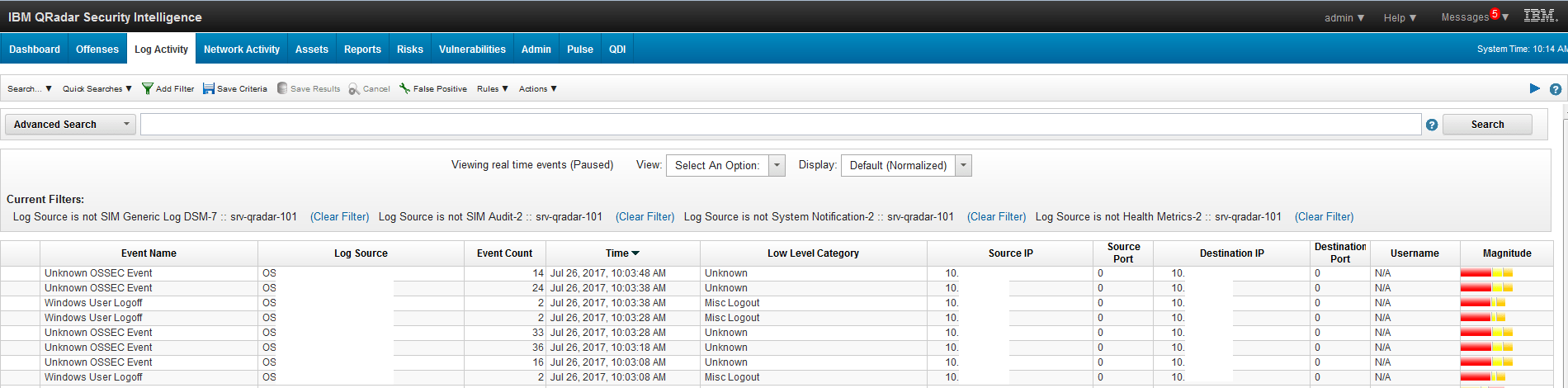
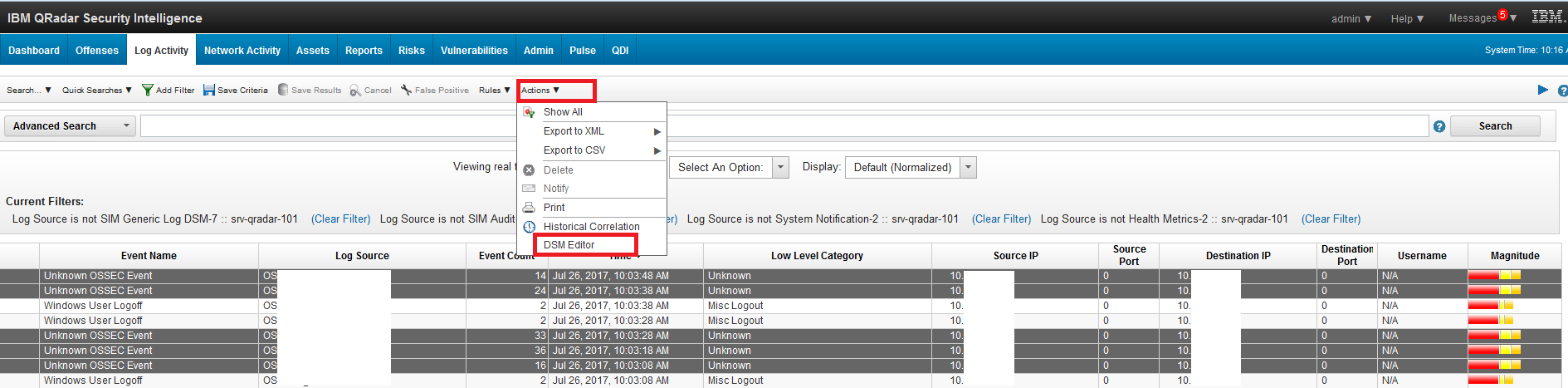
- Select an event that requires a change of parsing using CTRL or SHIFT. Go to Action – DSM Editor in the menu.
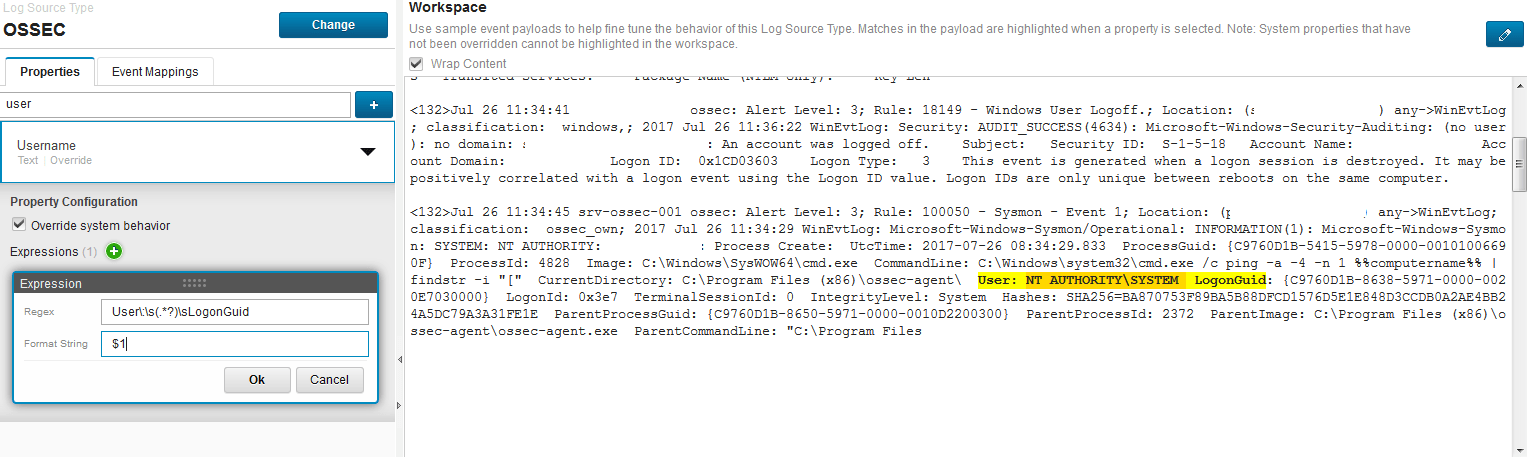
- Find or select a property for which you want a parsing change. Select Override System behavior at Property Configuration. In Regex field, it is necessary to write a regular expression that describes the required field. If you do everything right, you will see the text, highlighted in yellow in the logs. The example below:
- Click Save. Check the logs for parsing errors. If errors are present, repeat the procedure again.
In previous versions of QRadar this procedure is slightly different:
- You need to create a *.LSX file.
The file has structure. You need to map field property with regex.
The Full file structure is below:

- In ‘pattern id’ fields, you need to add regex that describes the fields in logs in ’DATA’ place.
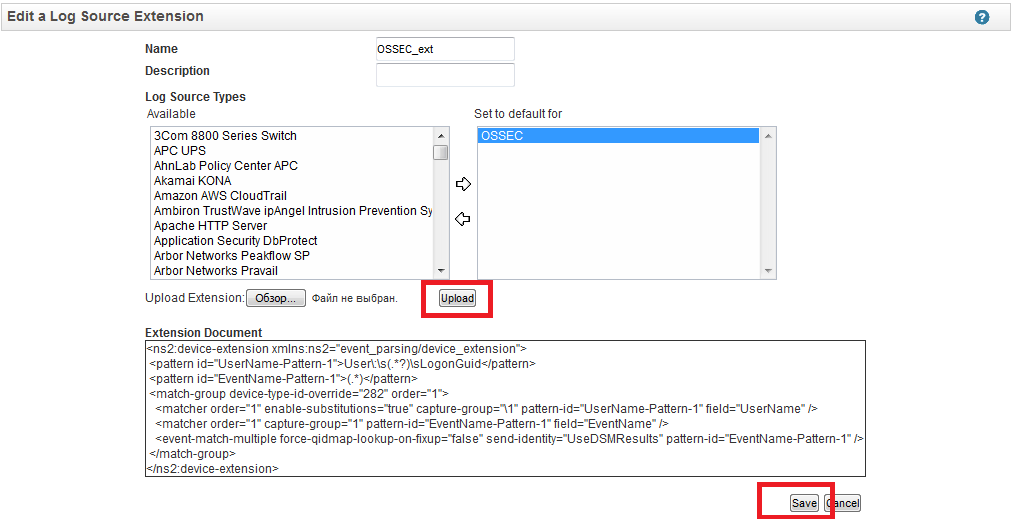
- After creations are finished, you need to add a parser to QRadar console. Go to Admin tab – Log Source Extensions.

- Add parser, as shown in the screenshot below.
- Go to Admin – Log Sources page. Edit Log source that needs to add parser.
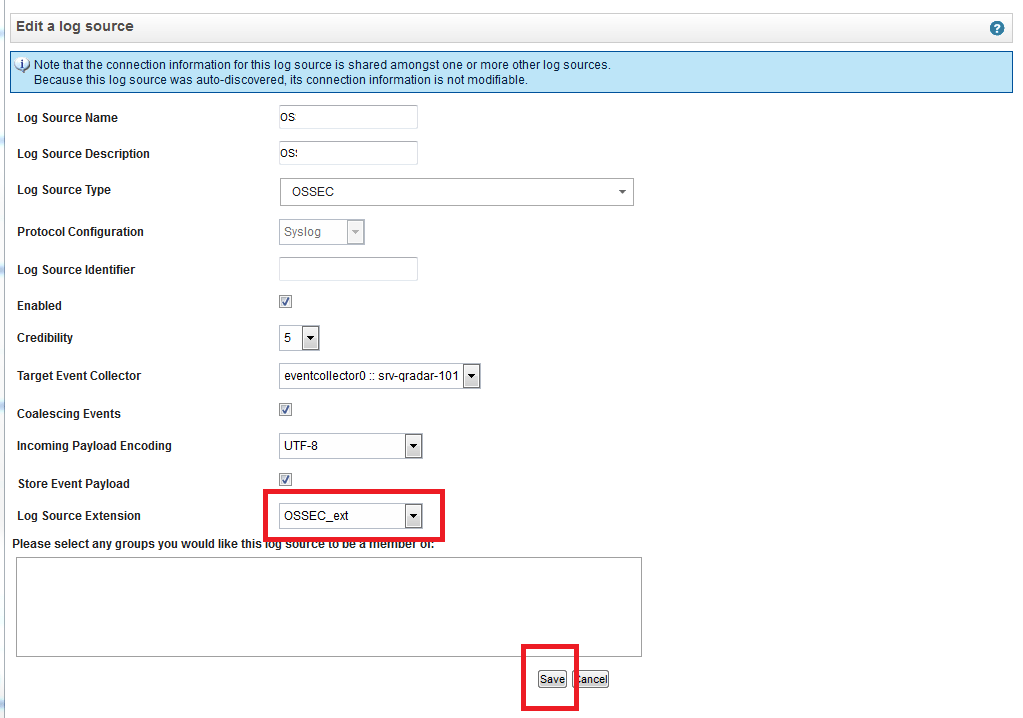
- Click Save. Check the logs for parsing errors. If errors are present, repeat the procedure again.