Follow
 Every SOC analyst knows the feeling. A new threat report lands in your queue, dozens of pages long, packed with techniques, tools, and timelines. Somewhere inside is the information your team needs to defend better, but finding it takes time you rarely have. Prime Architect removes that bottleneck.
Prime Architect is SOC Prime’s AI-powered workspace for threat research and detection engineering. It helps security teams move from raw threat intelligence to actionable defense, using agentic AI tools that do the heavy lifting. Paste a threat report in Prime Architect and AI can turn it into a short summary, a full summary, or a visual Attack Flow, depending on what you need.
If you want to see how far a single report can go, take a look at our earlier article on AI-powered Deep Threat Research. This article focuses on three ways to understand a report quickly: reading it in brief, reading it in depth, or seeing it as a diagram.
Why It Matters
Detection engineering is only as fast as your ability to understand the threat in front of you. With AI, one threat report gives you:
- Faster triage. Pull the key insights out of a long report before deciding what deserves attention, instead of reading it end to end.
- A shared picture of the attack. Plain-language summaries and visual diagrams give analysts, engineers, and managers the same understanding of what the adversary did.
- Better communication. A visual depiction of the attack helps engineers explain it to non-technical stakeholders, management, and executives.
- Smarter defense. Seeing the sequence of adversary behavior helps you decide what to detect and what to prioritize.
Three Ways to Work with a Threat Report
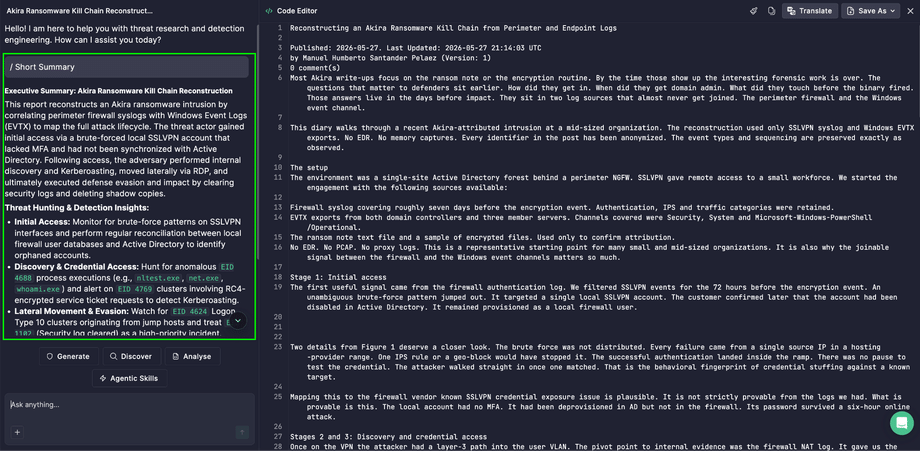
Short Summary: the key points in seconds
Need a quick overview? A Short Summary gives you the key insights of the report in a concise form. It works well when you’re scanning several reports and need to know which ones deserve a closer look.
Full Summary: every detail, in plain language
Need every nuance? A Full Summary is an in-depth explanation covering all relevant details and fine points. Use it when you’re preparing a briefing, planning detection work, or explaining the threat to someone else.
Attack Flow: see the whole attack at a glance
Individual techniques tell only part of the story. Adversaries succeed by chaining behaviors together to reach their goals. Inspired by the open-source Attack Flow project, the Attack Flow tool uses AI to visualize adversary activity from a threat report in a structured way, helping defenders move from tracking individual behaviors to tracking sequences of behavior.
What you get:
- Less time spent understanding the attack.
- Visualized flows that inform detection logic. By identifying TTP chains, you can build proactive defense without relying on IOCs.
- Easier prioritization. When linked to existing telemetry or detection rules, flows help you map threats to known gaps or current alerts.
- Machine-readable MMD export. Integrate the result into your detection engineering workflows more easily.
How to Work with a Threat Report
- Open Prime Architect and go to the Agentic Threat Research mode.
- Click Code Editor in the upper right corner and paste the text of your threat report.
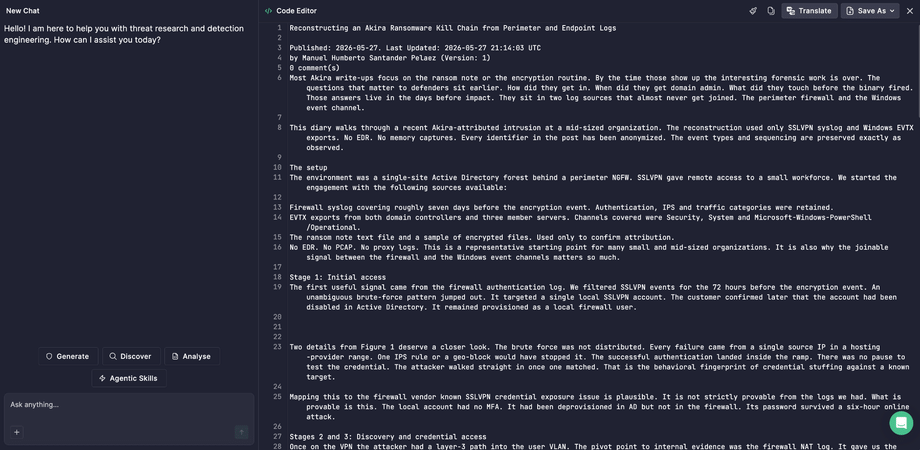
- Select the button that matches what you want to do:
- Analyze to generate a summary
- Generate to create an Attack Flow
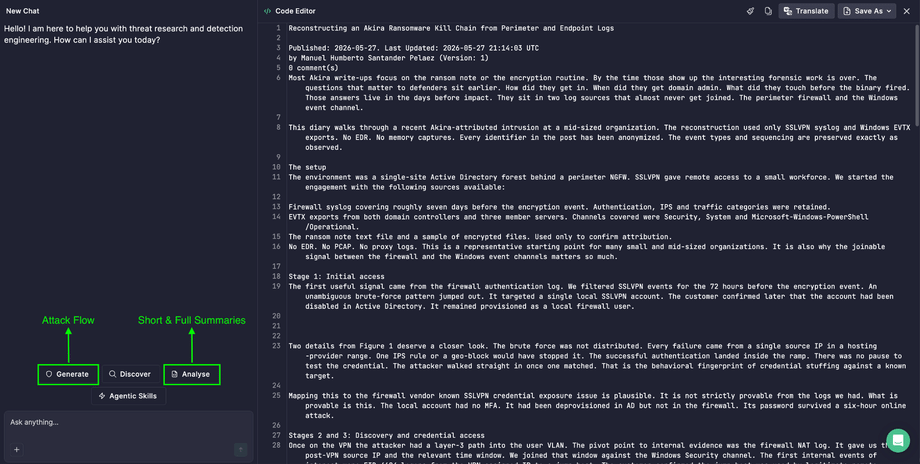
- Select the tool from the agentic AI tools options, then click the Enter icon to proceed:
- Short Summary for a concise overview of the key insights
- Full Summary for the complete, in-depth breakdown
- Attack Flow for a visual representation of the adversary’s activity
- View the result:
- For summaries: read the response on the left side of the screen.
- For Attack Flow:
Click the Diagram tile to view the report as a diagram.
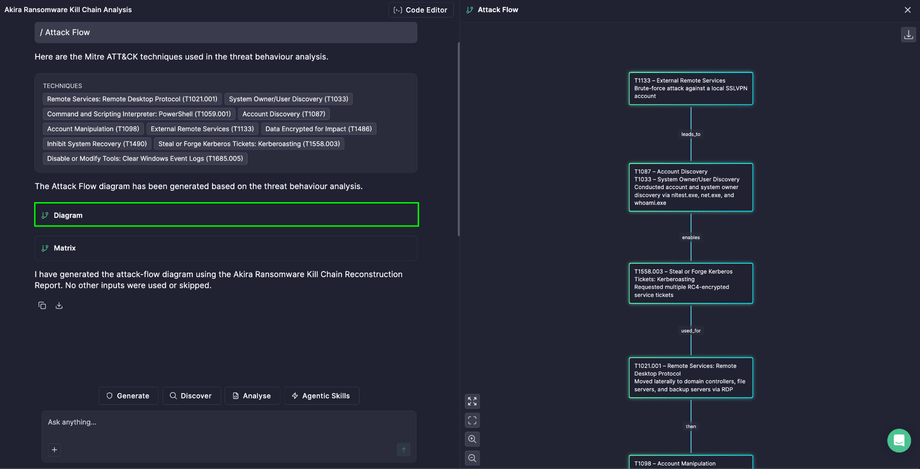
You can drag and drop the blocks, open the visualization in full screen, or change the scale.
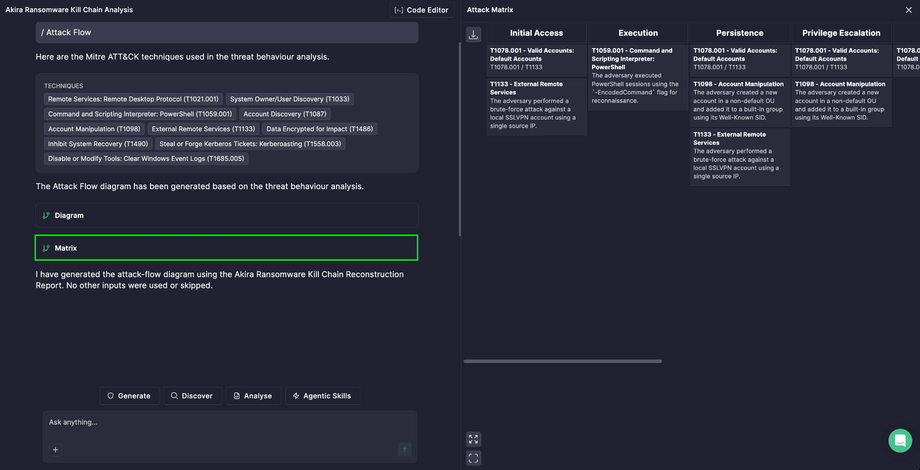
Click the Matrix tile to view the report as a matrix.
Get Started Today
The next time a dense threat report lands in your queue, don’t read it line by line. Open Prime Architect and paste the report. Start with a Short Summary to get oriented, run a Full Summary when you need every detail, and generate an Attack Flow when you want to see how the attack unfolds.
Less time reading, more time defending.